
|
Getting your Trinity Audio player ready...
|
Sanchar Saathi App: Complete Guide to Download, Uses, Safety & Benefits (2025 Updated)
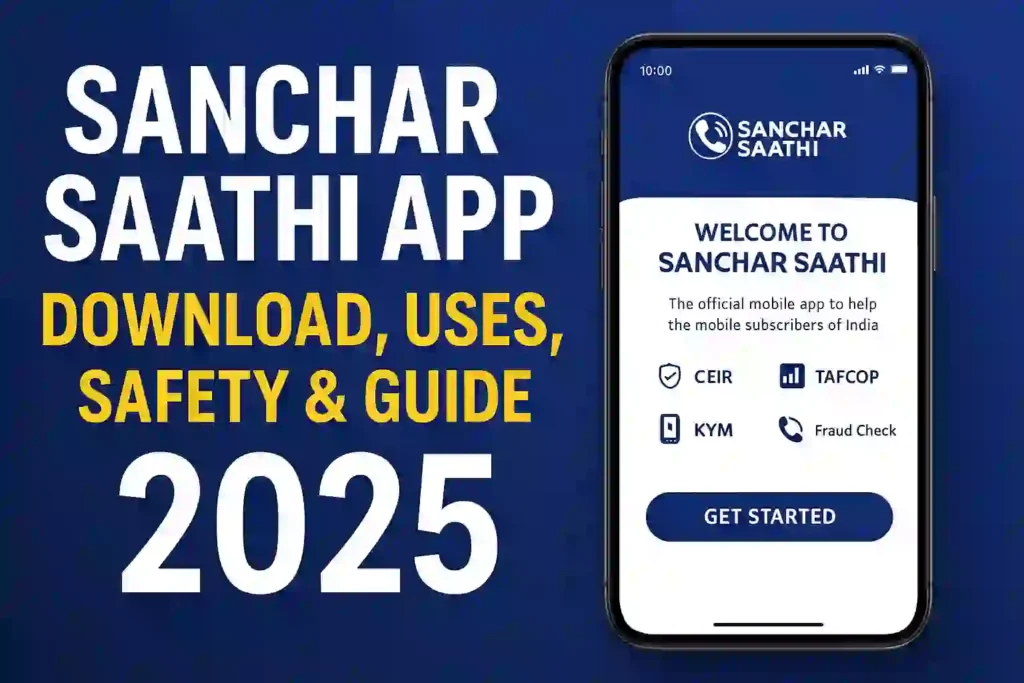
The Sanchar Saathi App is now one of the most trusted and useful digital tools for mobile users in India. Created by the Department of Telecommunications (DoT), Government of India, this app helps you stay safe from mobile fraud, track your mobile connections, block stolen phones, and protect your digital identity.
In this simple guide, we explain what the Sanchar Saathi App is, how it works, how to download the Sanchar Saathi App, whether it is safe, and how you can use all its features step-by-step.
What is Sanchar Saathi App? (Sanchar Saathi App Kya Hai)
The Sanchar Saathi App is an official mobile application made by the Government of India to help people secure their mobile phones and stay safe from scams. It gives you full control over your mobile numbers and devices connected with your ID.
With the Sanchar Saathi App, you can:
- Check how many mobile numbers are issued using your ID
- Find and block your lost or stolen phone
- Identify fraud or suspicious numbers
- See if someone used your documents to get a SIM card without your permission
- Improve your mobile security with official tools
The app is part of India’s mission to make mobile users safe, aware, and protected. It is fully managed by the Department of Telecommunications (DoT), so you can trust the information and services it provides.
Main Keyword Focus: Sanchar Saathi App Kya Hai Who Launched the Sanchar Saathi App?
The Sanchar Saathi App has been launched by the Department of Telecommunications (DoT) under the Government of India.
Because it is created and managed directly by the Government, it is a 100% safe and verified platform. This makes it one of the most reliable tools for telecom safety in the country.
Top 10 Cybersecurity Threats: How to Protect Yourself Online
Sanchar Saathi App Download – How to Install on Android
Many users search for sanchar saathi app download, sanchar saathi app download for android, and sanchar saathi app download apk. As of 2025, the official app is available on:
✔ Google Play Store (Android)
✔ Official Sanchar Saathi Website
Steps to Download Sanchar Saathi App for Android:
- Open Google Play Store
- Search for Sanchar Saathi App
- Click on Install
- Open the app and complete your mobile verification
- Start using features like CEIR, Know Your Mobile, and TAFCOP
Avoid APK downloads from unofficial websites because this is a government security app. Always download from the official Play Store.
Sanchar Saathi App Login – How to Sign In?
To use the app, you must complete mobile OTP verification.
Steps for Sanchar Saathi Login:
- Open the app
- Enter your mobile number
- You will receive an OTP
- Enter the OTP to log in
- Access all features from the dashboard
No complicated registration is required.
How to Protect Your Phone from Hackers: Top Security Tips
Top Features & Uses of the Sanchar Saathi App
People often search for sanchar saathi app uses, sanchar saathi app used for, and sanchar saathi app ke fayde. Here is a complete breakdown:
1. CEIR – Block Lost or Stolen Phone
CEIR stands for Central Equipment Identity Register.
This feature allows you to:
- Block a lost or stolen phone
- Track the device
- Unblock the device once recovered
You only need your phone’s IMEI number to block it.
2. TAFCOP – Check All Mobile Numbers Linked to Your ID
TAFCOP (Telecom Analytics for Fraud Management) shows:
- How many mobile numbers are issued using your ID
- Whether someone took a SIM using your documents
- Option to report suspicious numbers
This prevents identity misuse and avoids SIM fraud.
3. Know Your Mobile (KYM)
This feature helps you check:
- Whether your mobile device is original
- If the IMEI number is genuine
- If the phone is blacklisted, stolen, or duplicated
Just enter your IMEI and get instant results.
4. Fraud Number Check
Users can identify:
- Fraud call numbers
- Fake customer care numbers
- Scam SMS senders
- Robocalls or telemarketing numbers
This feature helps prevent digital scams.
How to Find Hidden Malware on Windows 10 Without Any Tools
Is Sanchar Saathi App Safe or Not?
Many users ask: Sanchar Saathi App is safe or not?
✔ Yes, Sanchar Saathi App is completely safe.
Here’s why:
- It is developed and managed by the Government of India
- It does not take unnecessary permissions
- It only uses your mobile number for OTP login
- It protects users from SIM fraud and mobile-related scams
- No data is shared with third-party apps
It is one of the safest government apps currently available.
Sanchar Saathi App Details – Full Overview
| Feature | Description |
|---|---|
| Developer | DoT, Government of India |
| Purpose | Mobile safety & fraud detection |
| Platforms | Android, Web |
| Main Tools | CEIR, TAFCOP, KYM |
| Safety | 100% Government-approved |
| Languages | English + Hindi |
| App Type | Security & Telecom Management |
Sanchar Saathi App in Hindi (Sanchar Saathi App Kya Hai in Hindi)
Many people search for sanchar saathi app in hindi or sanchar saathi app kya hai in hindi. The app also supports Hindi language, making it easy for everyone to use.
You can change the language inside the app:
- Go to Settings
- Select Hindi
- The entire interface changes instantly
How to Stop Spam Calls in India Without Using Truecaller
How to Use Sanchar Saathi App – Step-by-Step Guide
Step 1: Download the App
Install from the Play Store.
Step 2: Complete OTP Login
Enter your mobile number.
Step 3: Choose the Service You Want
- CEIR for lost phone
- TAFCOP for checking mobile numbers
- KYM to verify IMEI
- Fraud check
Step 4: Submit Necessary Information
Provide IMEI, mobile number, or document details when required.
Step 5: Track Status
The app also allows users to track their request status directly.
Sanchar Saathi App Benefits (Sanchar Saathi App ke Fayde)
✔ Protects your smartphone
✔ Helps block a stolen mobile instantly
✔ Prevents SIM card fraud
✔ Shows unauthorized numbers linked to your ID
✔ Avoids misuse of documents
✔ Enhances digital safety
✔ Free to use for all citizens
The app is especially helpful for people who have lost their phones or suspect identity misuse.
Sanchar Saathi App Review (2025)
Based on user feedback and real-world tests, the app gets a 4.8/5 rating. Users praise:
- Easy interface
- Accurate tracking
- Helpful fraud detection
- Fast phone blocking
- Quick response from DoT
The app is reliable and trusted by millions.
Conclusion
The Sanchar Saathi App is a simple and trusted tool that helps every mobile user stay safe. You can easily check how many SIM cards are linked to your ID, block your lost phone, report a fraud number, and protect your personal information—all in one app. Since it is made by the Department of Telecommunications (DoT), it is completely safe to use. If you want an easy and official way to manage your mobile numbers and keep your phone secure, the Sanchar Saathi App is a great choice. It gives you full control over your mobile identity and helps you stay protected in the digital world.
Sanchar Saathi App FAQs (Frequently Asked Questions)
1. Is Sanchar Saathi free to use?
Yes, the app is completely free.
2. Can I track my lost phone with this app?
Yes, the CEIR tool allows you to block and track your device.
3. Is the Sanchar Saathi App safe?
Yes, the Sanchar Saathi app is safe as it is an official government app by India’s Department of Telecommunications for telecom security and fraud prevention.
4. Can I download the Sanchar Saathi App APK?
Only download from the official Play Store. Avoid third-party APKs.
5. Can I check if someone is using my ID for SIM cards?
Yes, through TAFCOP.
6. Is the Sanchar Saathi App free to use?
Yes, the Sanchar Saathi App is completely free. All its services—checking SIM cards, blocking lost phones, and reporting fraud—are available at no cost.
7. Can I use the Sanchar Saathi App without Aadhaar?
Yes, you can use many features without Aadhaar. However, for SIM verification, you may need basic ID details linked to your mobile number.
8. Does the Sanchar Saathi App work on all Android phones?
Yes. The app works on almost all Android phones running standard Android versions. You can download it from Google Play Store.
9. Can I unblock my lost phone after finding it?
Yes. If you recover your lost phone, you can request to unblock it through the Sanchar Saathi App using your registered details.
10. How fast does the Sanchar Saathi App block a lost phone?
The blocking request usually starts processing within a few minutes, and most devices are blocked within 24 hours by the telecom providers.
11. Can I check if someone used my ID to take a new SIM card?
Yes. Using the Sanchar Saathi App’s TAFCOP feature, you can see all mobile numbers issued with your ID. If you find an unknown number, you can report it immediately.
Final Thoughts
The Sanchar Saathi App is one of the simplest and safest tools every mobile user should have. It helps you check all SIM cards linked to your ID, block your lost phone, and stay away from fraud calls. The best part is that the app is made by the Government of India, so you can trust it completely.
If you want to keep your mobile data safe and stay protected in today’s digital world, this app is a very helpful choice. It gives you peace of mind and full control over your mobile number. Using the Sanchar Saathi App is quick, easy, and smart for your safety in 2025 and beyond.