|
Getting your Trinity Audio player ready...
|
Download the full PDF “Instagram Phishing Scam: How to Avoid & Stay Safe (2026)” for easy offline reading
Instagram Phishing Scam: How to Avoid & Stay Safe (2026)
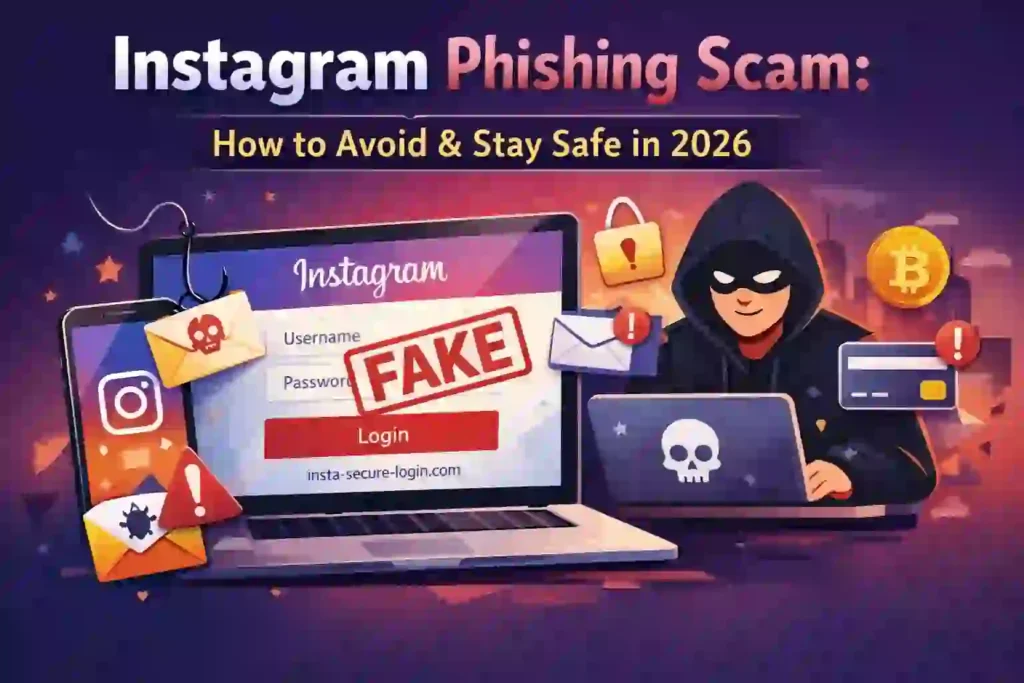
Instagram remains one of the most popular social platforms in the world. Instagram popularity makes it valuable—not just for creators and businesses, but unfortunately for scammers as well. In 2026, phishing attacks targeting Instagram users continue to rise, affecting influencers, small businesses, and everyday users alike.
Cybercriminals are getting smarter. Their fake messages look more realistic. Their emails sound more professional. And their tactics rely heavily on urgency, fear, and curiosity.
This guide explains exactly how Instagram phishing scam work, how to identify warning signs, and most importantly, how to protect your account using practical, proven security steps. Everything here follows current cybersecurity best practices and official guidance from trusted sources like the U.S. Federal Trade Commission (FTC), the Cybersecurity and Infrastructure Security Agency (CISA), and Instagram’s own security documentation.
Let’s break it down clearly and completely.
1. Introduction
The Rise of Instagram Scams in 2026
Phishing is not new. However, social media–based phishing has increased significantly over the past few years. According to the U.S. Federal Trade Commission (FTC), social media has become one of the top channels for fraud contact. Instagram frequently appears in scam reports because of its large user base and business-friendly ecosystem.
Why are scams increasing?
- More people run businesses through Instagram
- Influencer marketing continues to grow
- Digital payments and brand collaborations are common
- Users often trust direct messages too quickly
Attackers follow attention and money. Instagram has both.
Who Gets Targeted?
- Content creators and influencers (fake brand deals, verification scams)
- Small businesses (fake copyright or ad payment scams)
- Regular users (giveaway scams, fake login alerts)
In this guide, you’ll learn:
- What an Instagram phishing scam really is
- How scammers trick users
- The most common phishing messages
- What happens if you click a malicious link
- Step-by-step protection methods
- How to recover your account if compromised
Let’s start with the basics.
You May Also Read – Cybersecurity Tips: Simple Ways to Stay Safe Online in 2026
2. What Is an Instagram Phishing Scam?
An Instagram phishing scam is a fraudulent attempt to steal your login credentials or personal information by pretending to be Instagram, a brand, or someone you trust.
Phishing typically works like this:
- You receive a message or email.
- It creates urgency (“Your account will be suspended.”).
- You click a link.
- The link leads to a fake login page.
- You enter your username and password.
- The attacker gains access to your account.
Phishing vs. Hacking vs. Spam
- Phishing: Tricks you into giving your login details.
- Hacking: Technically exploiting vulnerabilities to gain access.
- Spam: Unwanted promotional or malicious messages, often broad and less targeted.
Phishing relies on manipulation—not technical brilliance. That’s why awareness matters more than anything.
Why Instagram Accounts Are Valuable
An Instagram account can be monetized through:
- Brand deals
- Affiliate marketing
- Digital product sales
- Ads
- Access to followers’ trust
Once scammers gain control, they often:
- Promote crypto scams
- Send phishing links to followers
- Demand ransom for account return
That’s why protecting your account is critical.
3. How Instagram Phishing Scam Work (Step-by-Step)
Let’s look at common tactics.
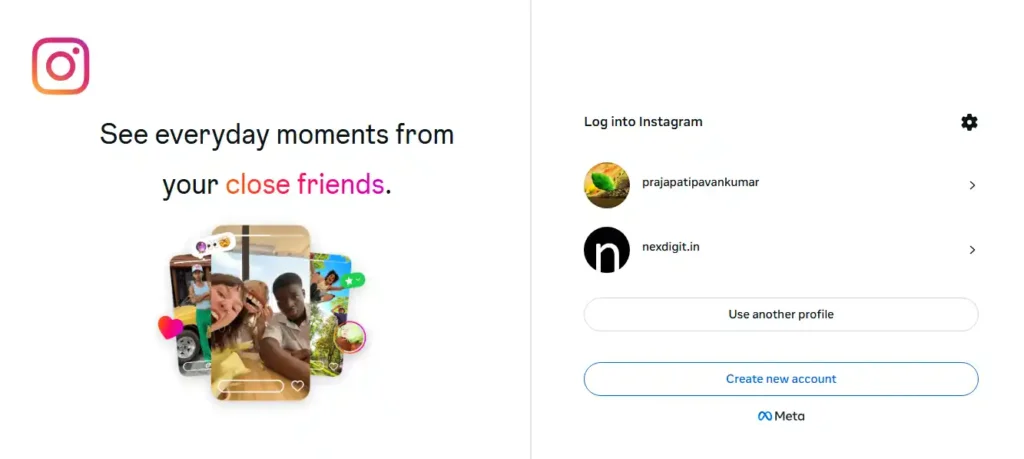
Fake Login Page Trick
You receive a DM claiming your account violated guidelines. The link takes you to a page that looks identical to Instagram. The URL, however, might look slightly different (e.g., instagrarn-help.com instead of instagram.com).
Once you enter your credentials, attackers capture them instantly.
Fake Copyright Warning
Scammers send messages stating you violated copyright law and must submit an appeal. The link leads to a credential harvesting page.
Instagram does not ask for passwords via external forms.
Fake Blue Tick Verification Offer
You’re told you’re eligible for verification. All you need to do? “Confirm your account details.”
It’s fake.
Fake Brand Collaboration Email
Creators receive professional-looking emails offering sponsorship deals. These often include malicious links or fake contract portals requiring login.
Fake Instagram Support DM
Instagram does not send DMs asking for passwords. Official communication appears in your in-app “Security” section.
Giveaway Scams
“You won a prize!”
“Click to claim.”
Classic bait.
Urgency and Fear Tactics
Scammers push you to act fast. Fear reduces rational thinking. Always pause before clicking.
You May Also Read – How I Keep My Personal Data Safe: Simple Best Tips
4. Most Common Instagram Phishing Messages
Here are examples you may encounter:
- “Your account will be suspended within 24 hours.”
- “You violated copyright policy.”
- “Click here to verify your account.”
- “See who viewed your profile.”
- “You won a giveaway.”
Suspicious Email Formats
Official Instagram emails come from verified domains. According to Instagram’s help center, users can check legitimate emails inside the app under Settings → Security → Emails from Instagram.
If the email does not appear there, it’s likely fake.
5. 10 Warning Signs of Instagram Phishing Scam
- Suspicious links with unusual domains
- Misspelled URLs
- Urgent tone demanding immediate action
- Unknown sender email address
- No verification badge on “support” accounts
- Requests for your password or OTP
- Poor grammar
- Too-good-to-be-true offers
- Strange login alerts you didn’t initiate
- Slightly altered domain names
If even one of these appears, stop immediately.
6. What Happens If You Click a Phishing Link?
Clicking alone may not always compromise your account—but entering credentials usually does.
Consequences include:
- Password theft
- Account takeover
- Profile name change
- Crypto scam posts
- Spam messages sent to followers
- Permanent account lock
- Financial loss
The FTC warns that account takeovers often lead to additional fraud targeting friends and followers.
7. How to Avoid Instagram Phishing Scam (Step-by-Step Protection Guide)
A. Enable Two-Factor Authentication (2FA)
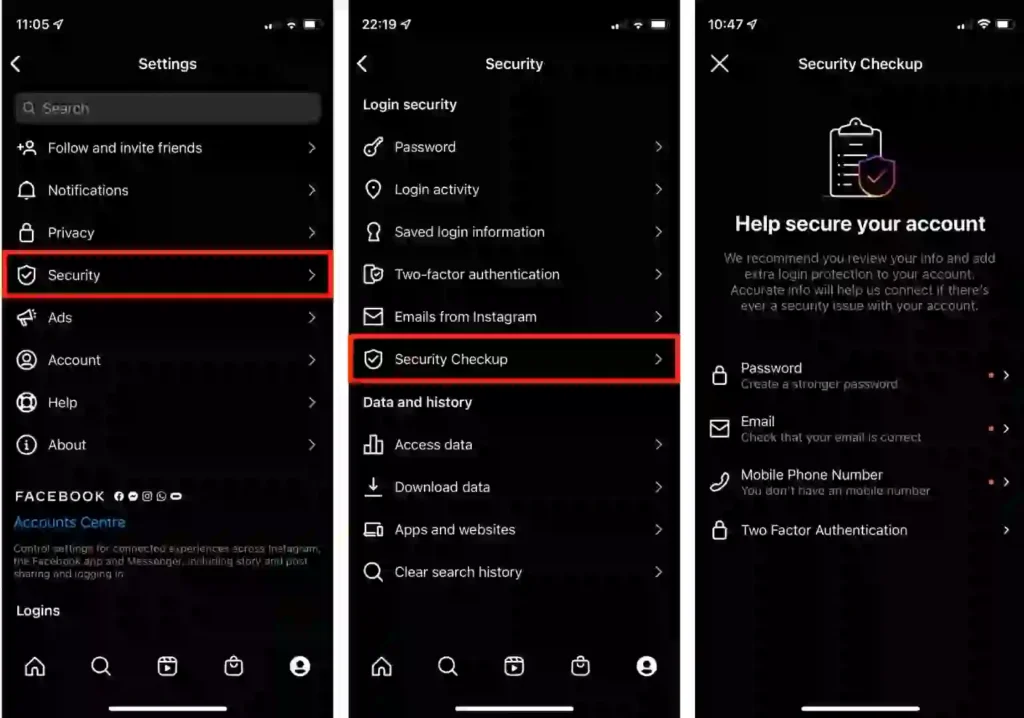
Two-factor authentication adds an extra security layer.
You have two main options:
- SMS-based codes
- Authenticator app (recommended)
Security experts, including CISA, recommend authenticator apps because SMS can be vulnerable to SIM swap attacks.
B. Check Login Activity Regularly
Instagram allows you to see logged-in devices. Remove unknown sessions immediately.
C. Verify Official Emails
Use Instagram’s in-app email verification feature.
D. Never Share OTP or Password
No legitimate service will ask for your password in DMs.
E. Use a Strong Password Strategy
- Minimum 12–16 characters
- Mix letters, numbers, symbols
- Avoid reuse across platforms
Password managers are helpful for secure storage.
F. Avoid Logging In from Unknown Devices
Public computers increase risk.
G. Turn On Security Alerts
Enable login alerts for suspicious activity.
H. Use Email Protection & Spam Filters
Your email is often the recovery gateway. Protect it carefully.
You May Also Read – How to Stop Apps from Tracking You – Android & iOS Tips
8. How to Check If a Link Is Safe Before Clicking
Hover Method (Desktop)
Hover over the link to preview the full URL.
Check Domain Spelling
Look carefully for letter substitutions.
Use Google Safe Browsing
Google offers a public Safe Browsing transparency report tool to check URLs.
Use VirusTotal
VirusTotal scans URLs across multiple security engines.
Avoid Shortened URLs
Short links hide the final destination.
When in doubt, don’t click.
9. What to Do If You Already Clicked a Phishing Link
Act quickly.
Step 1: Change Your Password Immediately
Do this from the official app or website.
Step 2: Log Out from All Devices
Remove unknown sessions.
Step 3: Enable 2FA
Immediately add additional security.
Step 4: Scan Your Device
Use reputable antivirus software.
Step 5: Inform Followers
Warn them not to click suspicious messages.
Step 6: Report to Instagram
Report through official in-app support.
10. How to Recover a Hacked Instagram Account
Instagram provides recovery options:
- Use “Forgot Password”
- Request login link
- Complete identity verification
- Submit selfie video verification if requested
Instagram may take several days to review recovery requests. Be patient and follow official instructions only.
Avoid third-party “recovery services.” Many are scams.
11. Phishing Scams Targeting Business & Creator Accounts
Creators face unique threats:
- Fake brand deals
- Fake ads payment confirmation
- Fake sponsorship contracts
If you’re a creator:
- Use a separate business email
- Verify brands independently
- Never download unknown attachments
Professional accounts are high-value targets.
You May Also Read – Facebook Account Disabled? How to Recover It Quickly in 2026
12. Real-Life Instagram Phishing Scam Patterns (2026)
Common real-world patterns include:
- Influencers losing accounts after clicking “copyright strike” links
- Small businesses locked out after fake ad payment notifications
- Giveaway scams spreading to thousands of followers
In nearly all cases, the breach began with a fake login page.
The lesson? One click can trigger a chain reaction.
13. Best Security Settings to Enable on Instagram in 2026
- Two-Factor Authentication
- Login alerts
- Hidden words filter
- Message request filtering
- Private account (if appropriate)
- Restrict and block suspicious users
Review privacy settings every few months.
Security is not a one-time task.
14. Frequently Asked Questions (FAQs)-What is an Instagram phishing scam?
1. What is an Instagram phishing scam?
An Instagram phishing scam is a fraudulent attempt to steal your login details by pretending to be Instagram or a trusted source. Scammers usually send fake emails or direct messages asking you to verify your account, reset your password, or fix a policy violation. Once you enter your credentials on a fake website, attackers gain access to your account.
2. How can I tell if an Instagram message is a phishing scam?
You can identify a phishing message by checking for suspicious links, urgent language, grammar mistakes, or requests for your password or OTP. Instagram does not ask for passwords through DMs. Always verify official emails inside the app under Settings → Security → Emails from Instagram.
3. What happens if I click a phishing link on Instagram?
Clicking alone may not always compromise your account, but entering your login details on a fake website can result in account takeover. Scammers may change your password, post spam content, or send malicious links to your followers.
4. Can someone hack my Instagram without my password?
It is very difficult unless you fall for phishing, reuse passwords, or do not use two-factor authentication. Most account hacks happen because users unknowingly give away their credentials.
5. How do I recover a hacked Instagram account?
Go to the login page and tap “Forgot Password?” Follow the recovery steps, request a login link, and complete identity verification if required. If your email was changed, use the “secure your account” option in the original notification email.
6. Does Instagram send copyright violation messages through DM?
No. Official copyright or policy violation notices appear inside the app’s support section, not through random direct messages. If you receive a DM asking you to click a link for copyright issues, it is likely a scam.
7. Is email from @mail.instagram.com safe?
Instagram allows you to check legitimate emails within the app. If an email appears in the “Emails from Instagram” section, it is authentic. If not, treat it as suspicious.
8. How can I protect my Instagram account from phishing?
Enable two-factor authentication (preferably using an authenticator app), use a strong password, avoid clicking suspicious links, monitor login activity regularly, and verify emails before taking action.
9. Why are Instagram phishing scams increasing in 2026?
Instagram accounts have financial value due to brand collaborations, advertising, and digital sales. As more businesses and creators rely on Instagram for income, scammers target the platform more aggressively.
10. Should I delete my Instagram account if it gets hacked?
No. Attempt recovery first using Instagram’s official recovery tools. Deleting your account may make recovery more difficult. Focus on securing your login credentials and contacting official support.
15. Final Safety Checklist
- Never click suspicious links
- Verify email authenticity inside the app
- Enable 2FA (prefer authenticator apps)
- Use strong, unique passwords
- Monitor login activity
- Protect your email account
- Stay calm and avoid urgency traps
Bookmark this checklist.
16. Conclusion
Instagram phishing scams rely on urgency, fear, and trust manipulation. They don’t require advanced hacking skills—only one moment of distraction.
The good news? Prevention is simple when you stay informed.
Enable strong security settings. Verify messages before acting. Educate your team, family, and followers.
Digital awareness is your strongest defense.
Stay alert. Stay skeptical. Stay secure.
Written by Pavan Kumar
IT professional and tech blogger at Nexdigit. I write about smartphones, software, and everyday tech in a simple, honest way so readers can understand what really matters before buying or updating.