|
Getting your Trinity Audio player ready...
|
Download the full PDF “Best Free AI Text Detector Online Tools” for easy offline reading.
7 Best Free AI Text Detector Online Tools in 2026
37% of all content published online in 2026 is AI-generated.
Let that sink in for a second.
That essay your student submitted. That blog post your freelancer delivered. That product review you just read before buying. Any of them could have been written by ChatGPT in under 30 seconds.
And the scary part? It reads perfectly fine.
Here’s the problem — most people have no idea how to catch it. They either trust everything blindly or start suspecting everyone unfairly. Neither is good.
The good news? You don’t need to pay anything. A free AI text detector online can catch AI-generated content in seconds — no account, no credit card, no technical skills. In this guide, I’ll show you the best free AI text detector online tools that actually work in 2026, how to use them step by step, and how to spot AI writing even without any tool at all.
Whether you’re a teacher, blogger, editor, or just someone who’s curious — you’ll walk away knowing exactly what to do.
Let’s get started.
What Is AI-Generated Text? (And Why It’s Hard to Spot)
Before picking a free AI text detector online, you need to understand what AI-generated text actually is — and why it’s so hard to catch with the naked eye.
These tools don’t think. They predict. They’ve been trained on billions of web pages, books, and articles. So they’ve learned exactly how “good writing” looks. They structure paragraphs correctly. They use transitions. They stay on topic.
That’s what makes human vs AI writing differences so hard to see with the naked eye.
A few years ago, AI writing was obvious. It was repetitive, stiff, and robotic. Today, the latest models produce content that sounds like a thoughtful, well-educated human wrote it.
But here’s the thing — it still has patterns. AI text is generated by predicting the most likely next word, over and over. That process leaves footprints.
And once you know where to look, you’ll start seeing them everywhere.
You May Also Read – ChatGPT Agents Explained: What They Are & How They Work
7 Best Free AI Text Detector Online Tools in 2026
Let’s cut straight to it. Here are the best free AI text detector online tools you can use right now — no payment, no signup, no hassle.
1. GPTZero — Best Overall Free Detector
Website: gptzero.me
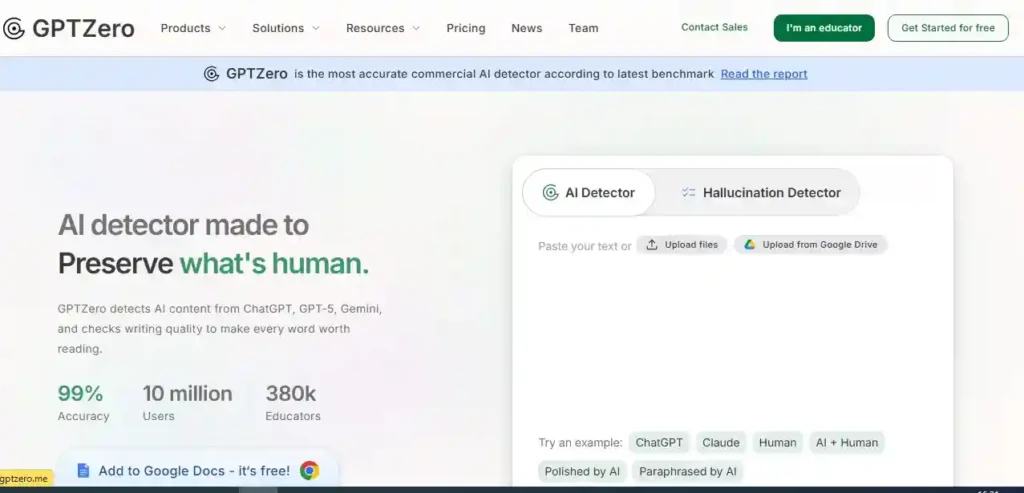
GPTZero is the gold standard for free AI detection. A Princeton student built it in 2023, and it’s only gotten better since. Millions of teachers and editors use it every month.
It measures two things:
Perplexity score in AI detection tells you how predictable the text is. AI writing scores low — it always picks the “safe,” expected next word. Humans are less predictable.
Burstiness measures how much sentence length varies. Humans write sentences of wildly different lengths. AI keeps them suspiciously even.
How to use it:
- Go to gptzero.me
- Paste your text (250+ words works best)
- Click “Get Results”
- Read the highlighted sections and overall probability score
Free limit: 5,000 characters per check. No signup needed for basic use.
You May Also Read – How to Create AI-Generated Images: Complete Guide 2025
2. ZeroGPT — Best Completely Free Option
Website: zerogpt.com
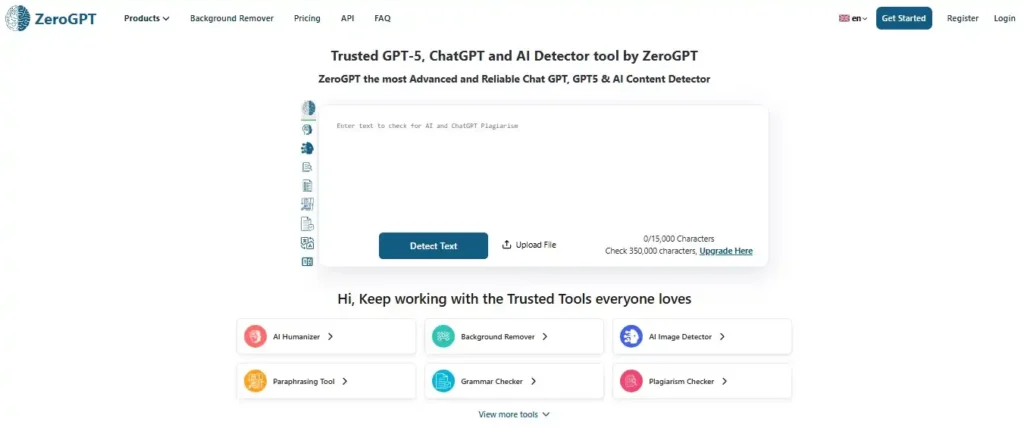
No account. No payment. No limit. Just paste your text and go.
ZeroGPT highlights individual sentences it suspects are AI-written. That’s incredibly useful — instead of a vague “60% AI” score, you can see exactly which paragraphs are suspicious and which ones read human.
This is the tool I’d recommend if you want the best free tool to detect ChatGPT generated text online without any friction.
3. Copyleaks AI Detector — Best for Schools and Businesses
Website: copyleaks.com/ai-content-detector
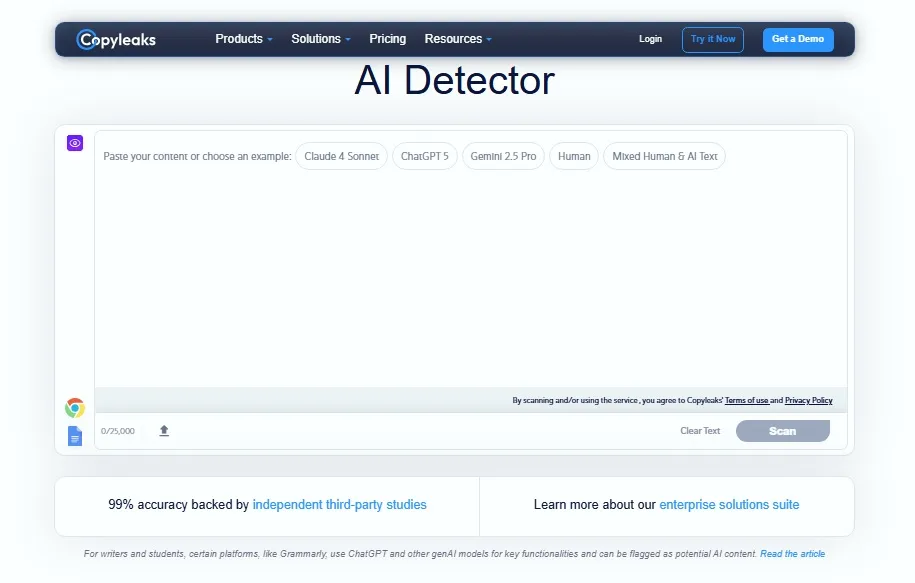
Copyleaks is trusted by universities worldwide, and it combines plagiarism and AI detection in one place. That’s a huge win — you can catch both copy-pasted content and AI-written content in a single check.
What makes it stand out is its ability to detect “humanized” AI text. When someone runs AI content through a paraphrasing tool to disguise it, Copyleaks often still catches it.
Free limit: 10 checks per month without signup.
4. Sapling AI Detector — Best for Short Content
Website: sapling.ai/ai-content-detector
Sapling gives you a clean, simple percentage. “82% of this text is likely AI-generated.” Done.
Most detectors struggle with short texts — emails, social media captions, product descriptions. Sapling handles them better than anyone. It’s the go-to AI content checker for short-form content.
Free limit: Unlimited basic use.
5. Writer AI Content Detector — Cleanest Interface
Website: writer.com/ai-content-detector
Writer keeps it dead simple. Paste your text, get a “Human” or “AI” label with a confidence percentage. No distractions, no upsells.
It’s fast, accurate, and requires zero signup. A solid backup when other tools are slow or overloaded.
Free limit: Unlimited, no account needed.
You May Also Read – Boost Your Creative Writing with ChatGPT | AI Writing Guide
6. Originality.ai (Free Trial)
Website: originality.ai
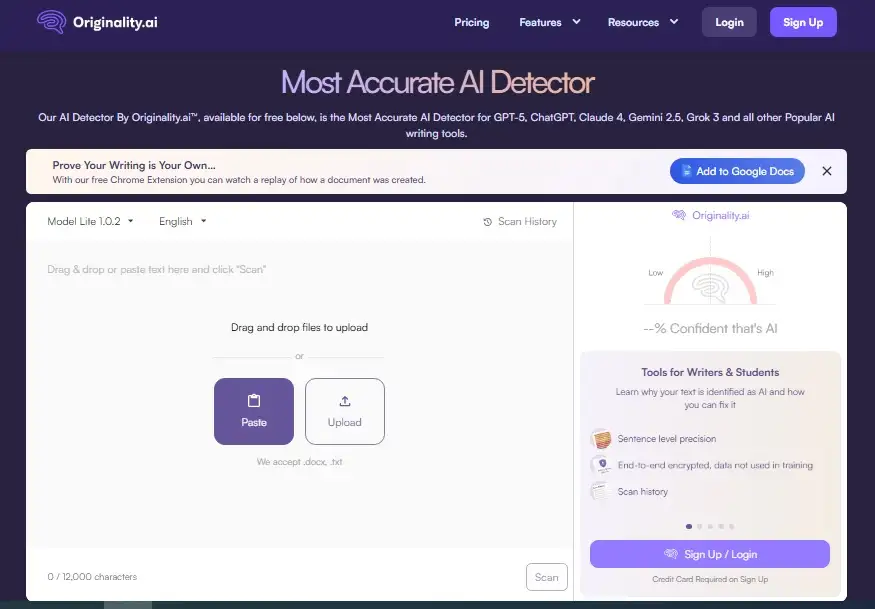
Originality.ai is primarily a paid tool, but their free trial gives you enough credits to check a few pieces thoroughly. Many professional content agencies consider it the most accurate ChatGPT text identifier available.
Use it when the stakes are high — before you make any serious accusation or decision.
7. The Google Copy-Paste Method
This one costs nothing and takes 10 seconds.
Take a suspicious sentence — one that sounds particularly smooth and generic. Put it inside quotation marks and search it on Google.
If that exact phrase appears on multiple websites, it’s likely AI-generated from a common training pattern. Not foolproof, but surprisingly effective as a quick gut-check.
How to Use a Free AI Text Detector Online Without Tools
A free AI text detector online is powerful. But your own eyes are just as useful once you know what to look for.
It sounds perfect — but hollow. Human writers have quirks, opinions, and personality. AI writing sounds polished but somehow lifeless. If you read it and think “this is fine” but can’t remember a single specific point — that’s a red flag.
Vague examples everywhere. AI loves phrases like “for example, consider a situation where…” followed by a completely generic scenario. Real writers use specific names, dates, and experiences. AI avoids specifics because specifics can be wrong.
Suspicious transition words. Count how many times you see “furthermore,” “moreover,” “in addition,” “it is important to note,” and “in conclusion.” If you hit three or more in a single article — AI almost certainly wrote it.
No opinion, ever. Ask yourself: does this writer take a clear side on anything? Do they have a preference? An irritation? A recommendation? AI hedges constantly. “On the one hand… on the other hand… it depends on your situation.” Real writers have a point of view.
Even sentence rhythm. Read it out loud. Does it feel like a steady drumbeat — almost metronomic? That’s AI. Human writing has peaks and valleys. Short punchy sentences. Then longer ones that take their time explaining something in detail.
Here’s what most people miss: it’s rarely one signal that gives it away. It’s the combination. Perfect grammar + vague examples + no opinion + robotic rhythm = AI.
You May Also Read – Best ProtonMail Alternatives in 2025 – Secure & Private Email Services You Can Trust
Mistakes to Avoid When Using a Free AI Text Detector
Even with a free AI text detector online, people make mistakes that lead to wrong conclusions. Here’s what to avoid.
Mistake 1: Trusting one tool completely.
No AI detector is 100% accurate. They can produce false positives — flagging perfectly human-written content as AI. This happens especially with formal academic writing or technical content.
Always run text through at least two tools. If both flag it with high confidence, that’s meaningful evidence. If only one does — take it with a grain of salt.
Mistake 2: Accusing someone based on a score alone.
A 75% AI probability score is not proof. It’s a signal. Before you accuse a student or a freelancer, ask them to walk you through their thinking process. Ask for their research notes or rough drafts.
Use detectors as the start of a conversation — not the end of one.
Mistake 3: Thinking edited AI content is safe.
Some people run AI text through paraphrasing tools like Quillbot or Wordtune to “humanize” it. This fools some detectors — but not all. Copyleaks and GPTZero have both improved at catching paraphrased AI text.
And remember — the manual eye test still applies. Paraphrasing tools change words, not structure. The hollow quality and vague examples usually survive.
Mistake 4: Ignoring context.
Not all AI-assisted content is bad. Someone who uses AI for a first draft and then rewrites it heavily with their own experience, opinions, and examples — that’s a different situation from someone who copied and pasted straight from ChatGPT.
This is especially important for how to detect AI text in blog posts before publishing — a little AI assistance, heavily edited, is very different from unedited machine output.
Mistake 5: Only checking long content.
AI detection tools work best on 250+ words. But AI is increasingly being used for short-form content too — product descriptions, social captions, email subject lines. Use Sapling for short text. Use the manual method (vague language, no personality) for very short pieces.
Which Free AI Text Detector Online Should You Use?
Here’s the bottom line.
AI content is everywhere in 2026. But now you know exactly what to do about it.
Start with GPTZero or ZeroGPT — both are completely free AI text detector online tools that require zero signup and give you results in seconds.
And when the stakes are higher, run it through Copyleaks too.
The best free AI text detector online isn’t just one tool — it’s a combination of smart tools plus your own trained eye.
Your next step is simple: pick one piece of content you received this week and run it through a free AI text detector online right now. Takes 30 seconds. The results might surprise you.
Found this useful? Share it with a teacher or editor who needs it. Drop your questions in the comments — I reply to every single one.
You May Also Read – Why Is My MacBook Overheating? 11 Real Fixes That Actually Work (2026 Guide)
Free AI Text Detector Online — Frequently Asked Questions
1. Which free AI text detector online works without signup?
Yes — ZeroGPT and Writer’s AI Content Detector both work without any account or signup. ZeroGPT is particularly useful because it highlights individual suspicious sentences, not just gives an overall score. Just go to zerogpt.com, paste your text, and get instant results for free.
2. How accurate is a free AI text detector online compared to paid tools?
Free detectors like GPTZero and Copyleaks are genuinely accurate for most everyday use cases — they catch unedited AI content reliably. Paid tools like Originality.ai offer higher accuracy, bulk processing, and combined plagiarism + AI detection. For occasional personal use, free tools are more than good enough.
3. What is the best free AI text detector online for students and teachers?
Yes. The major free detectors — GPTZero, Copyleaks, and ZeroGPT — are regularly updated to detect output from the latest models including GPT-4, GPT-4o, Claude 3, and Gemini. The challenge is when AI text has been heavily edited by a human afterward, which can reduce detection accuracy.
4. Can a free AI text detector online catch GPT-4 content?
Google doesn’t penalize AI content by default. It penalizes unhelpful, low-quality content — regardless of who wrote it. Pure unedited AI content tends to be generic and thin, which Google downgrades. But well-edited, genuinely helpful AI-assisted content can rank well. The key word is helpful — not human.
5. How do I use a free AI text detector online step by step?
This happens more than you’d think — especially with formal, structured, or technical writing styles. Try rewriting flagged sections in a more conversational tone. Add a personal opinion, a specific example from your experience, or a direct sentence addressed to the reader. That usually brings detector scores down quickly and makes the content better anyway.
Written by Pavan Kumar
Pavan Kumar is an IT professional and the founder of Nexdigit. He writes clear, practical guides about smartphones, software, gaming, and everyday technology. His goal is to simplify complex tech topics so readers can easily understand what matters most before buying devices, fixing problems, or exploring new digital tools.