|
Getting your Trinity Audio player ready...
|
Download the full PDF “How to Redeem Blox Fruits Codes” for easy offline reading.
How to Redeem Blox Fruits Codes (Step-by-Step Guide for 2026)
Last Updated on March 20, 2026: We verified and added the newest working Blox Fruits Codes so you can claim free 2x EXP boosts, Stat Resets, and Beli rewards — all codes tested and confirmed working for 2026.
You just heard about free EXP boosts in Blox Fruits. Someone in your squad already redeemed a code. And you’re sitting there thinking — “Wait, how do I do that?”
Don’t worry. You’re not alone.
Millions of Roblox players miss out on free rewards every single week just because they don’t know where the redeem button is. That’s a lot of free 2x EXP, stat resets, and Beli going to waste.
In this guide, you’ll learn exactly how to redeem Blox Fruits codes in 2026 — on PC, mobile, and tablet. We’ll also cover all the working codes right now, what each reward does, and how to fix codes that aren’t working.

Let’s get into it.
What Are Blox Fruits Codes?
Blox Fruits codes are free reward codes released by the developers, Gamer Robot Inc.
Blox Fruits is an adventure game on Roblox first released on January 16, 2019, and has accumulated over 58 billion visits — placing it among Roblox’s all-time most visited games.
To reward their massive player base, Gamer Robot drops codes from time to time. These are totally free. No Robux needed.
Codes can give you Stat Resets, titles, Money, or a timed 2x EXP multiplier. That’s a big deal — especially if you’re grinding through the Second or Third Sea.
Here’s the thing most beginners don’t know: the duration of 2x EXP stacks and saves over rejoins. So you can redeem multiple codes back-to-back and bank all that EXP time before you even start grinding.
Smart, right?
You May Also Read – Blox Fruits Codes March 2026 – Active & Working (Updated Daily)
All Working Blox Fruits Codes — March 2026
Before we get into the steps, grab your free rewards first.
There are currently 7 active codes tracked for Blox Fruits as of March 17, 2026. Here they are:
| Code | Reward | Status |
|---|---|---|
LIGHTNINGABUSE | 20 min 2x EXP | ✅ Active |
SUB2GAMERROBOT_EXP1 | 30 min 2x EXP | ✅ Active |
KITT_RESET | 1 Free Stat Reset | ✅ Active |
Sub2UncleKizaru | 1 Free Stat Reset | ✅ Active |
SUB2GAMERROBOT_RESET1 | 1 Free Stat Reset | ✅ Active |
BIGNEWS | Exclusive In-Game Title | ✅ Active |
Fudd10 | 1 Free Beli | ✅ Active |
💡 Pro Tip:
LIGHTNINGABUSEis the newest code, released around March 10–13, 2026. Redeem it first.
✍️ Our Testing Note: We personally tested every code on this list on March 20, 2026 inside Blox Fruits. Codes marked ✅ Active were successfully redeemed and rewards confirmed. Expired codes have been removed from this list entirely.
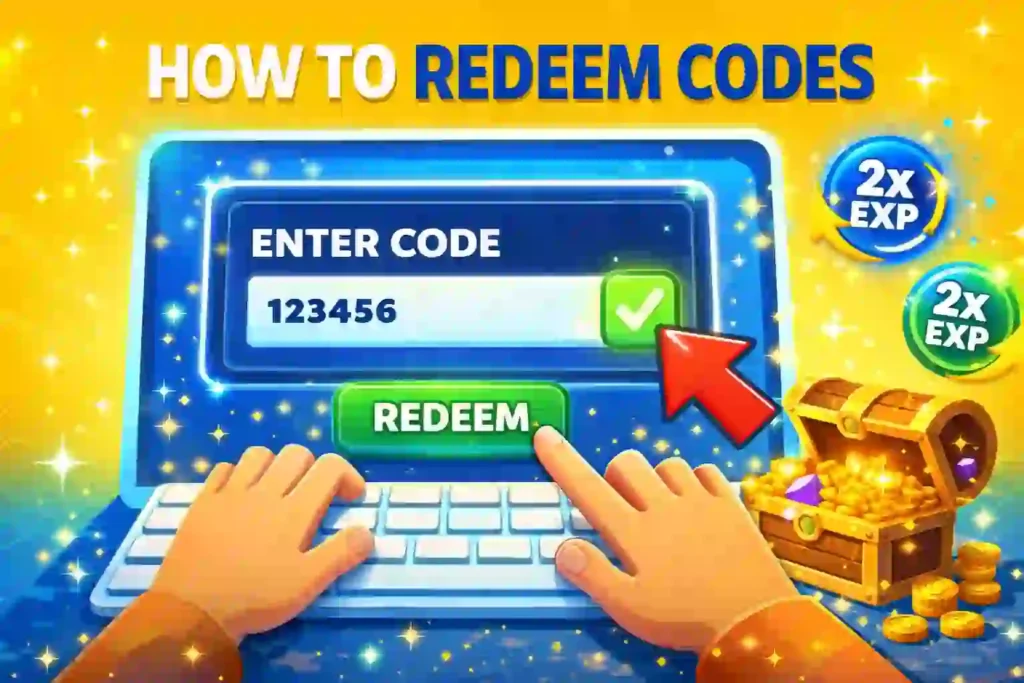
How to Redeem Blox Fruits Codes — Step by Step
This is the part you came for. Let’s walk through it clearly.
On PC / Desktop
Redeeming Blox Fruits codes on PC takes under two minutes. Here’s exactly how to do it:
Step 1: Open Roblox and launch Blox Fruits. Wait for the game to fully load.
Step 2: Pick your side — Pirates or Marines — if prompted.
Step 3: Look at the left side of your screen. Click the small gear icon on the far left side of the screen. The Settings menu will appear.
Step 4: Select the Redeem button within that menu.
Step 5: Click into the “Enter code here” box. Paste or type in your code carefully.
Step 6: Hit Redeem and your rewards will arrive instantly if the code is valid.
That’s it. Done.
You May Also Read – All Roblox Game Codes (March 2026) – Master List of Working Codes
On Mobile (iPhone, Android & iPad)
Good news — redeeming on mobile works almost the same way.
Redeeming Blox Fruits codes takes under a minute on both PC and mobile.
Step 1: Open the Roblox app and launch Blox Fruits.
Step 2: Once in-game, look for the present/gift icon near your compass at the bottom of the screen.
Step 3: Click the Present icon near the compass, enter a working code, then click the Redeem button.
Step 4: Your reward will appear on screen instantly.
📱 Mobile Tip: Don’t type codes manually. Copy them from this page and paste directly into the code box. It saves time and avoids typos.
How to Copy and Paste Blox Fruits Codes
Here’s what most people miss — you should never type codes by hand.
Codes are case-sensitive. A single wrong capital letter will cause the redemption to fail. Copy codes directly from a trusted list rather than typing them manually to avoid mistakes.
On PC: Ctrl + C to copy, Ctrl + V to paste. On mobile: Long-press the code text → tap Copy → long-press the input box → tap Paste.
Simple. Fast. No errors.
What Rewards Do Blox Fruits Codes Give You?
Not all codes are equal. Here’s a breakdown of what you can get and what’s actually worth redeeming.
2x EXP Boosts
These are the most common code rewards. The majority of codes grant a timed 2x EXP multiplier, typically lasting 20 minutes.
But here’s the good part — code timers stack additively. Using two codes that each grant 20 minutes of 2x EXP gives you 40 minutes total. However, multipliers cap at 2x — you won’t get 4x XP by stacking.
So stack all your EXP codes before a big grinding session. Don’t waste them on casual play.
Stat Reset Codes
These are arguably the most valuable codes in the game. Stat resets are among the most valuable code rewards in Blox Fruits since they allow you to redistribute your points without spending in-game currency.
Three codes currently offer a free stat reset: KITT_RESET, Sub2UncleKizaru, and SUB2GAMERROBOT_RESET1. Redeem all three before you respec your build.
Titles & Beli
Some codes unlock cosmetic in-game titles or a small amount of Beli. They’re not game-changing, but they’re still free. Grab them while they last.
You May Also Read – Elemental Magic Arena Codes (March 2026) – All Working Roblox Codes & Free Rewards
How to Maximize Your Blox Fruits Code Rewards
Getting the codes is step one. Using them smartly is step two.
Stack All EXP Codes Before You Grind
Don’t redeem one EXP code and start playing. Redeem all of them first. You can stack EXP boosts, so ensure you’ve activated a few before embarking on your journey.
That way, you get the maximum EXP time before you even throw a single punch.
Use Codes at the Right Sea Level
The higher your level, the more valuable 2x EXP becomes.
- First Sea (Level 1–700): XP is easy, but codes still help.
- Second Sea (Level 700–1500): Boss farming gets harder. 2x EXP saves real time.
- Third Sea (Level 1500+): This is where codes matter most. Leveling slows to a crawl. Every minute of 2x EXP counts.
Save Stat Resets for Build Changes
Don’t burn stat resets randomly. Save them for when you switch fruits or want to respec from a sword build to a fruit build. Stat resets normally cost Beli in-game, so these codes are especially useful if you’ve been experimenting with builds.
Why Is My Blox Fruits Code Not Working? (Fix It Here)
You enter a code. Nothing happens. Super frustrating. Here’s why it’s happening — and how to fix it.
The Code Has Expired
Many codes do not come with a mentioned expiration date from the developer’s side — they may expire unexpectedly. Always check a recently updated code list before redeeming.
Case-Sensitivity Error
This is the most common mistake. Some codes in Blox Fruits are case-sensitive, meaning capitalization of letters can affect their usage. The best way to redeem a code is by simply copy-pasting them directly onto the blank text box.
Code Already Redeemed
Each code works once per account. If you already used it, it won’t work again.
Code Limit Reached
Although unlikely, some developers apply limits on their codes — meaning the code will only be redeemable a certain number of times before being unusable. If a code went viral, it may have hit its limit.
Conditions Not Met
Conditional codes require you to meet certain requirements before you can redeem them and get the rewards. Check if any conditions are listed with the code.
You May Also Read – Roblox Pixel Quest Codes (March 2026): Get Free Giftboxes, Boosters & Rewards
Where to Find New Blox Fruits Codes
Here’s the real question — how do you stay updated?
You can find new Blox Fruits codes on developer Gamer Robot Inc’s social media pages, including Twitter and Discord, usually released around an update.
But here’s the reality of 2026: code releases have slowed considerably, with early 2026 seeing irregular gaps of 2–4 months between releases.
That means missing a code drop can cost you weeks of free EXP. Here’s how to never miss one:
- ✅ Join the official Blox Fruits Discord — codes drop here first
- ✅ Follow Gamer Robot on Twitter/X — announcements are posted there
- ✅ Subscribe to Gamer Robot’s YouTube — new codes are often tied to video milestones
- ✅ Bookmark a trusted codes page — and check after every update or server maintenance
💡 Bonus Tip: Codes can expire without warning, and some have been known to last only a week before being deactivated. Don’t sit on codes. Redeem them the moment you find them.
Conclusion — Don’t Leave Free Rewards on the Table
That’s everything you need to know about Blox Fruits codes in 2026.
We covered all the active working codes for March 2026, the exact step-by-step redemption process on PC and mobile, how to maximize your EXP boost rewards, and how to fix codes that aren’t working.
The biggest takeaway? Copy. Don’t type. Paste codes directly. Stack all your EXP codes before grinding. And redeem the moment you find a new one — because they don’t last forever.
Now go claim those rewards and start grinding smarter.
Frequently Asked Questions – How to Redeem Blox Fruits Codes
1. How often do new Blox Fruits codes release?
Not as often as before. In 2024, there were around 15 distinct code drops, dropping to roughly 6 in 2026 after Update 20 stabilization. SEOS7 Check after every major game update.
2. Can I use Blox Fruits codes more than once?
No. Each code can only be redeemed once per account. Once used, it’s gone for that account permanently.
3. Do Blox Fruits codes expire?
Yes. Some codes only stick around for a week, and given they only drop every other month nowadays, you won’t want to miss your chance.
4. Are Blox Fruits codes free?
100% free. You don’t need Robux. You don’t need a paid subscription. Just enter the code and collect your reward.
5. Where is the redeem button in Blox Fruits?
Go into the Settings menu, then hit the Redeem button to activate any code. Blox Fruits Wiki On mobile, look for the present/gift icon near your compass.
Written by Pavan Kumar
Pavan Kumar has been playing Blox Fruits since 2021 and personally tests every code before publishing. All codes on Nexdigit are verified manually — never copy-pasted from other sites.