|
Getting your Trinity Audio player ready...
|
Download the full PDF “Blox Fruits Codes Not Working?” for easy offline reading.
Blox Fruits Codes Not Working? 11 Easy Fixes That Actually Work (2026 Guide)
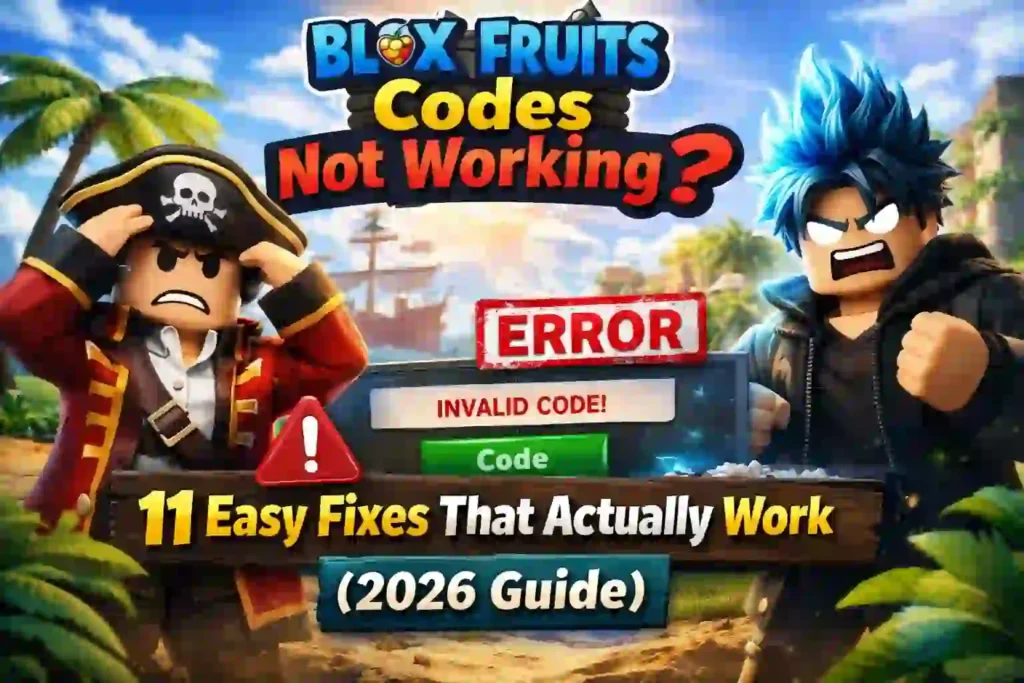
You just found a shiny new Blox Fruits code online. You rush to the game, type it in, and… nothing. “Code Invalid.” Or worse — “Already Redeemed” — even though you’ve never used it before.
Sound familiar?
You’re not alone. Every single day, thousands of Roblox players hit the same wall. Blox Fruits codes not working is one of the most searched problems in the entire Roblox community — and honestly, it makes sense. Codes expire fast, the redemption UI is a little confusing, and mobile adds its own layer of chaos.
But here’s the good news: most of the time, the fix takes less than 60 seconds.
In this guide, you’ll get 11 battle-tested fixes that actually solve the problem — no fluff, no guessing. By the end, you’ll know exactly why your codes are failing and how to redeem them like a pro.
Let’s get into it.
Why Are Blox Fruits Codes Not Working? (The Real Reasons)
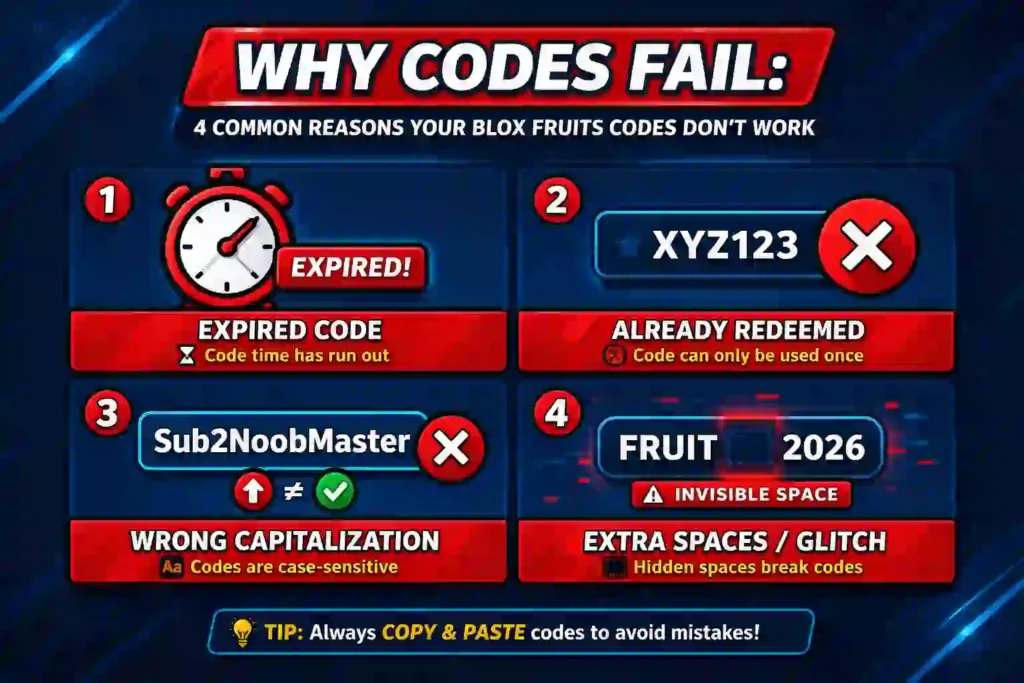
Before jumping to fixes, it helps to understand why this happens. Most Blox Fruits code errors fall into one of these categories:
1. The code has expired. Blox Fruits codes — especially event codes like Valentine’s Event 2026 codes or Update milestone codes — have a shelf life. Once the developer deactivates them, they’re gone forever.
2. You already redeemed it. This is more common than people think. If you play on multiple accounts or just forgot, the game won’t let you redeem the same code twice. Each code is one-use per account.
3. The code is typed wrong. Yes, Blox Fruits codes ARE case sensitive. One wrong capital letter = “Code Invalid.”
4. There’s a trailing space. If you copied the code and accidentally grabbed an invisible space at the end, the game rejects it. It’s a tiny thing that ruins everything.
5. The gift icon is missing or hidden. On mobile especially, the UI can shift around. If the gift icon isn’t visible, you can’t even get to the redemption screen.
6. The code is fake. Some sites post made-up codes just for clicks. If you’re using an untrusted source, the code may have never existed at all.
Now let’s fix all of it.
You May Also Read – Blox Fruits Codes March 2026 – Active & Working (Updated Daily)
11 Fixes for Blox Fruits Codes Not Working (Step-by-Step)
Fix 1: Double-Check the Code is Actually Valid
This sounds obvious — but it’s the most important step.
Before anything else, verify the code on a trusted source:
- Blox Fruits official Twitter/X (@BloxFruits)
- Blox Fruits Discord server (official announcements channel)
- Gamer Robot YouTube channel (Zioles posts codes during streams)
- Blox Fruits Fandom Wiki
If the code isn’t on any of these, assume it’s either expired or fake. Don’t waste time debugging a code that was never real.
Fix 2: Check If the Code Is Case Sensitive
Yes — Blox Fruits codes are absolutely case sensitive.
LIGHTNINGABUSE is not the same as lightningabuse or Lightningabuse. The game reads every single character exactly as you type it.
What to do:
- Copy the code directly from the source — don’t type it manually
- If you must type it, match every capital and lowercase letter exactly
- Common working codes like SUB2GAMERROBOT_EXP1, SUB2CAPTAINMAUI, and KITT_RESET are all uppercase — don’t guess
Fix 3: Remove Any Trailing Spaces
This is the hidden villain behind countless “Code Invalid” errors.
When you copy a code from a website or Discord, your clipboard sometimes grabs an invisible space at the end. The game reads that space as part of the code — and rejects it.
The fix:
- After pasting, manually click to the end of the code field
- Press Backspace once or twice to delete any invisible characters
- Then try redeeming again
That tiny step fixes this problem 100% of the time.
You May Also Read – How to Redeem Blox Fruits Codes (Step-by-Step Guide for 2026)
Fix 4: Find the Gift Icon (It’s Hiding)
To redeem codes in Blox Fruits, you need to click the gift box icon on the left side of your screen. But sometimes — especially on mobile — it disappears or gets pushed off screen.
How to enter codes in Blox Fruits step by step:
- Load into a Blox Fruits server
- Look for the gift icon on the left side of your screen
- Click it to open the code redemption box
- Type or paste your code
- Press Enter or click the confirm button
If the gift icon is not showing in Blox Fruits on your screen, try scrolling down the UI or switching to landscape mode. More on that in Fix 6.
Fix 5: The Code Is Already Expired — Here’s What to Do
Blox Fruits codes don’t last forever. Update codes, event codes, and creator codes all have expiry dates — and they’re often not announced.
For example:
- Update 29 codes were only valid for a limited window after the patch dropped
- Valentine’s Event 2026 codes expired when the event ended
- 1LOSTADMIN and BIGNEWS have been expired for a long time — stop trying these
What to do:
- Never save codes for “later” — redeem them the moment you find them
- Bookmark the Blox Fruits Fandom Wiki and check it weekly
- Join the Blox Fruits Discord server to get real-time code announcements
The earlier you redeem, the better your chances. Some codes expire within 24-48 hours of release.
Fix 6: Fix the Gift Icon on Mobile (Landscape Mode)
Blox Fruits codes not working on mobile? The problem is usually the gift icon.
On smaller phone screens, the UI overlaps and the gift box icon gets hidden or pushed off-screen entirely.
The fix:
- Rotate your phone to landscape mode before entering the game
- The UI resets and the gift icon reappears
- Redeem your code in landscape mode, then rotate back if you prefer portrait
This works for 90% of mobile players who have the gift icon missing in Blox Fruits.
Fix 7: Rejoin the Server
Sometimes the Blox Fruits server you’re on glitches. The redemption system fails silently — you enter a valid code, nothing happens, and you’re left confused.
The fix is simple:
- Leave the game completely
- Wait 30 seconds
- Rejoin a fresh server
- Try the code again
This clears any temporary session bugs. A lot of players skip this step and spend an hour troubleshooting when a quick rejoin was all it took.
You May Also Read – Elemental Magic Arena Codes (March 2026) – All Working Roblox Codes & Free Rewards
Fix 8: Clear Your Roblox Cache
A corrupted or bloated Roblox cache can cause all kinds of weird behavior — including the redeem button not working properly.
On PC:
- Close Roblox completely
- Press
Win + R→ type%localappdata% - Find the Roblox folder → delete the cache folder inside
- Relaunch Roblox and try again
On Mobile:
- Go to your phone’s Settings
- Find the Roblox app
- Tap “Clear Cache”
- Reopen and try your code
Clearing cache takes 2 minutes and fixes a surprising number of Roblox mobile code redemption issues.
Fix 9: Check Roblox Server Status
Sometimes it’s not your fault at all. Roblox itself goes down — and when the servers are struggling, code redemption breaks along with everything else.
How to verify:
- Visit status.roblox.com
- Check the Blox Fruits Twitter/X for any announcements
- Ask in the Blox Fruits Discord server if other players are having the same issue
If Roblox is having a bad day, just wait it out. Trying the same code over and over won’t help.
Fix 10: You’ve Already Redeemed This Code
If the game says “Code Already Redeemed” — that’s it. There’s no workaround.
Each Blox Fruits code is one-use per account. Once you’ve claimed the 2x EXP boost, the Beli reward, or the stat reset, that code is permanently locked on your account.
But here’s what most people miss:
- You may have redeemed it on a different account and forgotten
- A sibling or friend may have used your account and redeemed it
- Some codes look the same but are different — double-check you’re not confusing SUB2GAMERROBOT_EXP1 and SUB2GAMERROBOT_EXP2
Can’t redeem a code twice — that’s the rule. Move on and grab the next available code fresh.
Fix 11: Use BlueStacks If Mobile Keeps Failing
If you play Blox Fruits on mobile and nothing works — not the landscape fix, not clearing cache, not rejoining — try BlueStacks.
BlueStacks is a free Android emulator for PC. It runs Blox Fruits in a PC-like environment, which fixes nearly every UI issue, including:
- Gift icon missing
- UI overlap on small screen
- Redeem button not responding
It’s not a perfect solution for everyone, but for persistent mobile issues, it genuinely works.
You May Also Read – Roblox Pixel Quest Codes (March 2026): Get Free Giftboxes, Boosters & Rewards
Working Blox Fruits Codes 2026 (Updated March 2026)
Here are some codes that were active and working as of March 2026. Redeem these NOW — they won’t last forever:
| Code | Reward |
|---|---|
| LIGHTNINGABUSE | 2x EXP Boost (20 min) |
| SUB2GAMERROBOT_EXP1 | 2x EXP Boost |
| SUB2CAPTAINMAUI | 2x EXP Boost |
| KITT_RESET | Stat Reset |
| SUB2OFFICIALNOOBIE | 2x EXP Boost |
| Sub2Fer999 | 2x EXP Boost |
⚠️ Note: Codes expire without warning. Always cross-reference these on the official Blox Fruits Discord or Fandom Wiki before trying.
Common Mistakes to Avoid When Redeeming Codes
Here’s what most players get wrong — don’t be that guy:
Saving codes for later. Redeem immediately. A code valid today might be dead tomorrow.
Using random YouTube “code list” videos. Many YouTubers post outdated code lists for views. Their “working” codes are often expired months ago.
Typing instead of copy-pasting. Always copy the code directly. One wrong letter = Code Invalid.
Trusting third-party code generators. There is no such thing as a Blox Fruits code generator. Any site claiming to generate codes is lying.
Ignoring the official sources. The Blox Fruits Discord server and Gamer Robot YouTube channel are your best friends. Follow both.
You May Also Read – Roblox Grace Codes (March 2026): Are There Any Working Codes?
Conclusion – Blox Fruits Codes Not Working?
Blox Fruits codes not working is frustrating — but it’s almost always fixable.
Start with the simple stuff: check the code is real, make sure it’s not expired, remove trailing spaces, and confirm capitalization. If that doesn’t work, try rejoining the server, clearing your Roblox cache, or switching to landscape mode on mobile.
And most importantly — redeem codes the second you find them. Waiting is the fastest way to lose free rewards.
Bookmark the Blox Fruits Discord and the Fandom Wiki, and you’ll never miss a working code again.
Got a fix that worked for you but isn’t on this list? Drop it in the comments — let’s help the next player out.
Frequently Asked Questions – Blox Fruits Codes Not Working?
1. Why is my Blox Fruits code not working even though it’s new?
It could be expired already (some codes die within hours), typed incorrectly, or the server is glitching. Try Fix 2 (case sensitivity) and Fix 7 (rejoin server) first.
2. Are Blox Fruits codes case sensitive?
Yes, 100%. Every letter must match exactly. Always copy-paste instead of typing manually.
3. How long do Blox Fruits codes last?
It varies. Event codes can expire in 24-48 hours. Creator codes (SUB2 codes) tend to last longer — sometimes months. There’s no fixed rule, so redeem immediately.
4. Where do I enter codes in Blox Fruits?
Click the gift box icon on the left side of your screen, type or paste the code, and press Enter.
5. Can I redeem a Blox Fruits code twice?
No. Each code is one-use per account. If it says “Already Redeemed,” it’s permanently used on your account.
6. What does “Code Invalid” mean in Blox Fruits?
It means the code doesn’t exist, is expired, or is spelled wrong. Verify it on the official Discord or Fandom Wiki.
7. What rewards do Blox Fruits codes give?
Most codes give a 2x EXP Boost for 20-60 minutes, which is great for mastery farming and stat grinding. Some give Stat Resets (very valuable), free Beli, or Race Rerolls.
Written by Pavan Kumar
Pavan Kumar is an IT professional and the founder of Nexdigit. He writes clear, practical guides about smartphones, software, gaming, and everyday technology. His goal is to simplify complex tech topics so readers can easily understand what matters most before buying devices, fixing problems, or exploring new digital tools.