|
Getting your Trinity Audio player ready...
|
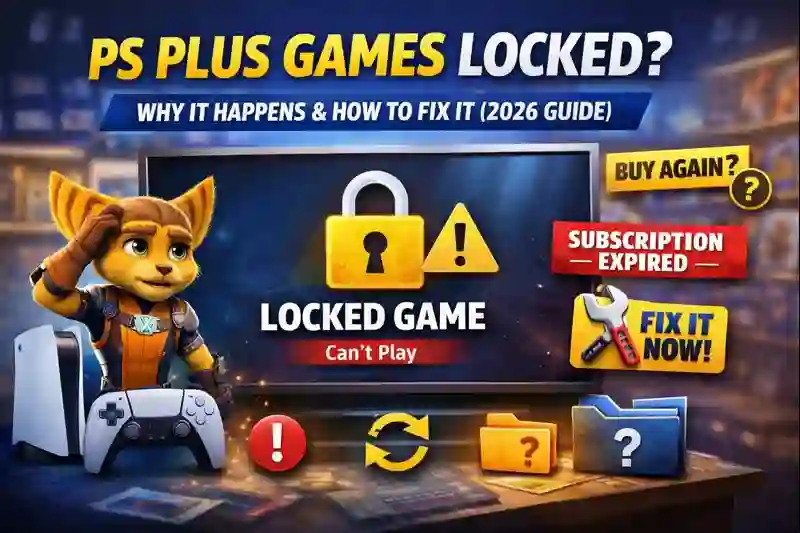
PS Plus Games Locked? Why It Happens and How to Fix It (2026 Guide)
If you are seeing a lock icon 🔒 on your PS Plus games, you are not alone.
In my experience as an IT professional, PS Plus games locked is one of the most common PlayStation problems users face in 2026.
Many Nexdigit readers tell us the same story:
“My subscription is active, but my PS Plus games are locked.”
“It’s asking me to buy a game I already claimed.”
“My PS Plus games disappeared suddenly.”
This is confusing, frustrating, and honestly stressful—especially for beginners.
The good news? Most PS Plus locked game issues are easy to fix once you understand why they happen.
By the end of this article, you will know:
- Why PS Plus games get locked
- How to unlock them safely
- What mistakes to avoid
- When games are truly gone (and when they are not)
Let’s start by understanding the real reasons.
What Does “PS Plus Games Locked” Actually Mean?
When a PS Plus game is locked, it means:
- Your console cannot verify your PlayStation Plus access
- The game license is temporarily or permanently invalid
- The game cannot be played until the issue is fixed
Important point many users miss:
👉 Locked does NOT always mean the game is gone forever.
Most of the time, it is a license or account verification problem, not a game removal.
WhatsApp Account Hacked? Recover & Secure Your Account Step-by-Step (2026)
Main Reasons Why PS Plus Games Get Locked (2026 Updated)
1️⃣ PS Plus Subscription Expired (Most Common Reason)
This is the #1 reason worldwide.
If your PlayStation Plus subscription ends:
- All claimed monthly games become locked
- You keep progress, but can’t play
✅ Fix: Renew your subscription
⚠️ Warning: Auto-renew sometimes fails due to payment issues
2️⃣ PS Plus Games Locked After Renewal
Many users renew PS Plus and still see locked games.
In my experience, this happens because:
- Console didn’t refresh licenses
- PSN server delay
- Account sync error
This is very common after:
- Long subscription gap
- Plan upgrade/downgrade
3️⃣ PS Plus Games Asking You to Buy Again
This scares many users, but don’t panic.
This usually happens when:
- License data is corrupted
- You claimed the game on a different account
- Console is not set as Primary / Console Sharing
The game still belongs to you—but the console can’t see it.
Struggling with iPhone Storage Full? Here’s What to Do.
4️⃣ PS Plus Extra / Premium Games Removed
This is important to understand.
- Monthly PS Plus games (Essential): Stay yours while subscription is active
- Game Catalog (Extra / Premium): Games can be removed anytime
If a game leaves the catalog:
❌ It gets locked permanently
✅ This is normal and not a bug
5️⃣ Console Sharing / Primary Console Not Enabled
If your console is not set as:
- Primary PS4, or
- Console Sharing & Offline Play (PS5)
Then:
- Games appear locked
- Sharing doesn’t work
- Offline play fails
6️⃣ Playing on the Wrong Account
Very common beginner mistake.
If:
- Game was claimed on Account A
- You are playing on Account B
Then the game will be locked.
How to Fix Phone Not Charging Properly – 13 proven methods
7️⃣ PS Plus Games Locked Offline
PS Plus needs periodic online verification.
If:
- You stayed offline too long
- Console couldn’t verify subscription
Then games lock automatically.
Step-by-Step: How to Fix PS Plus Games Locked (PS4 & PS5)
Step 1: Check Your PS Plus Subscription Status
- Go to Settings
- Open Users and Accounts
- Select Subscriptions
- Check if PS Plus is active
👉 If expired → Renew first
👉 If active → Move to next step
✅ Step 2: Restore Licenses (Most Effective Fix)
This fixes 80% of locked PS Plus games.
On PS5:
- Settings → Users and Accounts
- Other → Restore Licenses
- Select Restore
On PS4:
- Settings → Account Management
- Restore Licenses → Restore
⏳ Wait 1–2 minutes
🔁 Restart console after
Mobile Data Not Working? 11 Proven Ways to Fix It
✅ Step 3: Enable Console Sharing / Primary Console
PS5:
- Settings → Users and Accounts
- Other → Console Sharing and Offline Play
- Turn ON
PS4:
- Settings → Account Management
- Activate as Your Primary PS4
✅ Step 4: Make Sure You’re Using the Correct Account
Check:
- Same PSN account used to claim the game
- Same region as PlayStation Store
If not, switch to the correct account.
✅ Step 5: Reconnect to the Internet
Even if you play offline:
- Connect once
- Let PSN verify your subscription
This unlocks many games instantly.
✅ Step 6: Check if the Game Was Removed (Extra / Premium)
Go to:
- PS Plus Game Catalog
- Search the game name
If it’s removed → It cannot be restored.
✅ Step 7: Re-download the Game (Last Option)
Sometimes files get corrupted.
Delete the game → Download again from Library.
Common Mistakes That Make PS Plus Lock Issues Worse
❌ Creating a new PSN account
❌ Buying the game again unnecessarily
❌ Factory reset without backup
❌ Using unofficial “unlock” methods
❌ Ignoring subscription renewal emails
⚠️ These can cause permanent loss or wasted money.
Top 10 Cybersecurity Threats: How to Protect Yourself Online
Pros & Cons of PS Plus (Honest View – 2026)
✅ Pros
- Free monthly games
- Cloud saves
- Online multiplayer
- Big game catalog (Extra/Premium)
❌ Cons
- Games can be removed
- Locked games confuse beginners
- Subscription required forever
- Offline limitations
Key Takeaways (Quick Summary)
- PS Plus games locked ≠ lost forever
- Subscription & license issues cause most problems
- Restoring licenses fixes most cases
- Extra/Premium games can disappear permanently
- Always use the original claiming account
Conclusion: Final Advice From an IT Expert (2026)
In my experience, PS Plus games locked issues are more about confusion than real loss.
Sony’s system relies heavily on licenses and online verification, which can fail silently.
Many Nexdigit readers panic too early and make costly mistakes—like buying the same game again.
Please don’t do that.
Follow the steps in this guide calmly and in order.
Most users unlock their games within 10–15 minutes.
If your game is truly removed from the PS Plus catalog, be honest with yourself—it’s not a bug.
But if it’s a monthly game, it is almost always recoverable.
This guide is updated for 2026, based on real user cases and hands-on troubleshooting.
FAQs – PS Plus Games Locked
1. Why are my PS Plus games locked even though my subscription is active?
Your PS Plus games may be locked because you’re signed into the wrong account, your console isn’t set as the primary console, licenses need to be restored, or the subscription hasn’t synced properly yet.
2. Can I play PS Plus games after subscription ends?
No. Games unlock again only after renewal.
3. Why is PS Plus asking me to buy a game I already claimed?
Your license is not verified. Restore licenses.
4. Are PS Plus monthly games permanent?
Yes, as long as your subscription stays active.
5. Do PS Plus Extra games get removed?
Yes. They are temporary.
6. How often should I restore licenses?
Only when games are locked or missing.
7. Can PS Plus games be played offline?
Yes, but only after recent online verification.
8. Will reinstalling the game unlock it?
Sometimes, but license restore works better.
9. Is this a PS4-only problem?
No. Happens on PS4 and PS5.
Written by Pavan Kumar
Pavan Kumar is an IT professional and the founder of Nexdigit.com.
He has hands-on experience in mobile troubleshooting, Windows issues,
internet security, and everyday tech problem-solving.
Pavan personally tests tools, apps, and solutions before recommending them.
His goal is to explain complex technology in simple, easy-to-understand language
so even beginners can fix problems confidently.
Follow Nexdigit for practical tech guides, honest reviews,
and real-world solutions you can trust.